
What a re-do is
A re-do clears your intake and lets you fill it in again from scratch. It is meant for big changes, such as a rebrand, a new offering or a new direction for your content.
Your intake can be completed three times in total, and your first submission is one of them. So after you submit for the first time, you can start over twice more.
Only want to correct a few answers? You do not need a re-do. Change them in Settings, under "Your answers", as often as you like.
How to start one
- Open Settings from the menu on the left and expand "Intake preference".
- Under "Your intake is complete", check how many re-dos you have left, then press "Re-do intake".
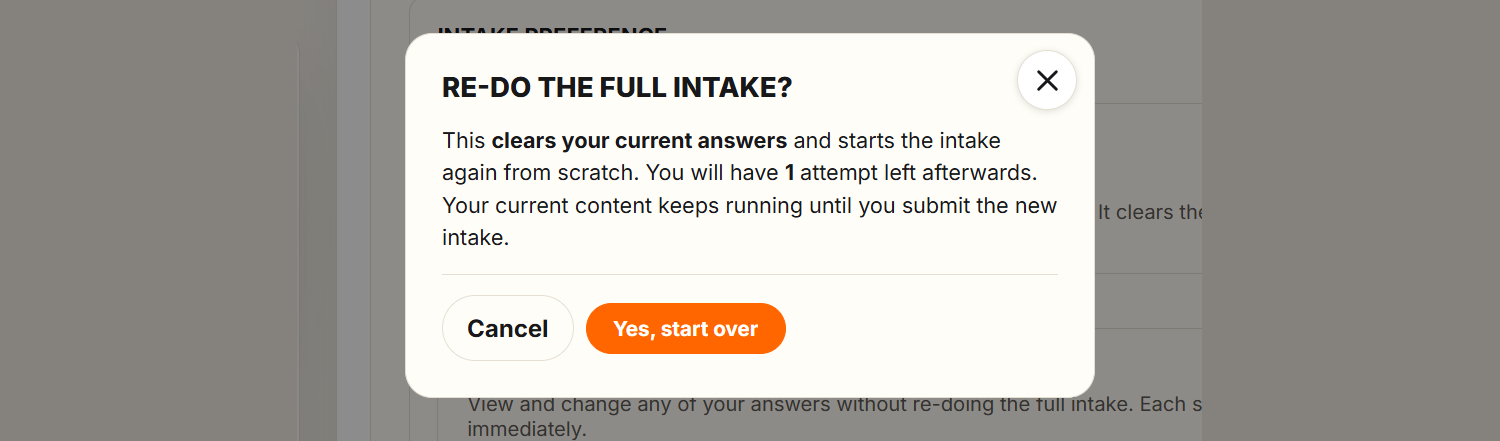
- Read the confirmation "Re-do the full intake?" and press "Yes, start over".

What happens next
The intake opens again at step 1. Your registration details are filled in for you; every other answer is cleared, so the form and the AI research start fresh. The "Intake form" item is back in the menu on the left until you submit again.
Your current content keeps running while you work on the new intake, and Media Plan and Media Library stay open. When you submit, your new answers replace the old ones.
Run out of re-dos?
When all three are used, Settings shows that your attempts are used up and the button disappears. Contact us if you still need to start over and we will re-open it for you.