IN-STORE MOBILE APP
Your marketing pipeline, in your pocket. Review this week’s articles and social posts, check the facts, fix the images and publish, without opening a laptop.
SCAN TO INSTALL
Point your iPhone camera at the code, then tap the banner that appears. TestFlight does the rest.
iPhone, iOS 17 or later · United States and Canada · Free · Active IN-STORE account required
ANDROID IS NEXT
The Android build is in internal testing. Leave your email and we will send the link the day it opens.
Write to support@in-store.ca and we will tell you the day it opens.
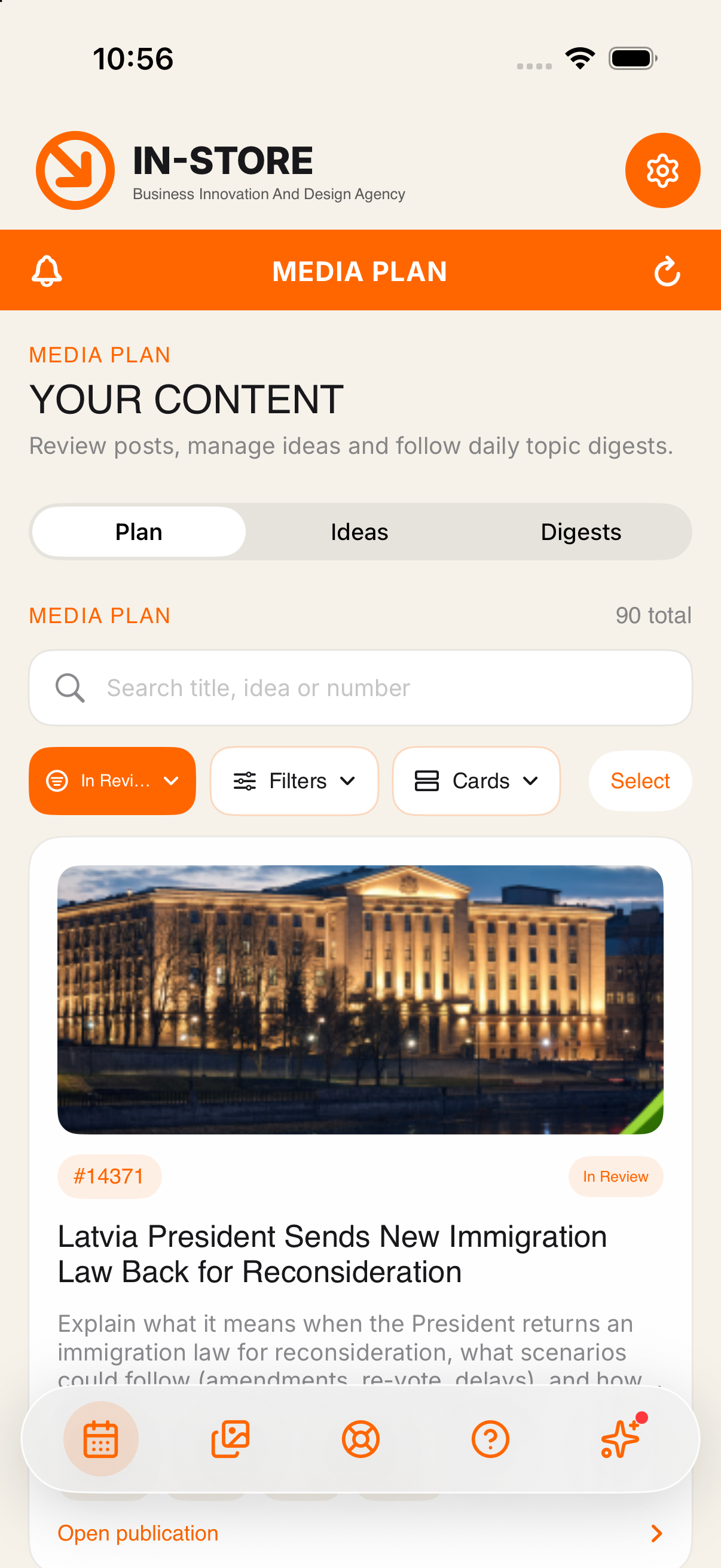
The plan, filtered to what is waiting for you
THIS IS A BETA. HERE IS WHAT THAT MEANS.
THE REAL APP ON YOUR REAL ACCOUNT
Not a sandbox. What you approve here goes into your live plan, exactly as it does in the web cabinet.
SOME SCREENS ARE STILL BEING POLISHED
You may meet a rough edge. Nothing is lost when you do, every action is written to the same database the website uses.
YOUR FEEDBACK REACHES THE TEAM
Send a screenshot straight from TestFlight, or write to support@in-store.ca.
Beta places are limited to 250 testers.
THREE THINGS IT CHANGES ON DAY ONE
MINUTES, NOT EVENINGS
A week of content used to mean an evening at the laptop. Open the plan on the move, approve what is right, send back what is not.
NOTHING GOES OUT UNSEEN
A live preview shows the post as Facebook, Instagram, LinkedIn, Telegram and your website will render it, with the caption counted against each network’s limit.
FACTS CHECKED AGAINST SOURCES
Every claim in an article is matched to the source it came from. Confirm it, dismiss it, or let the system rewrite the text so the facts line up.
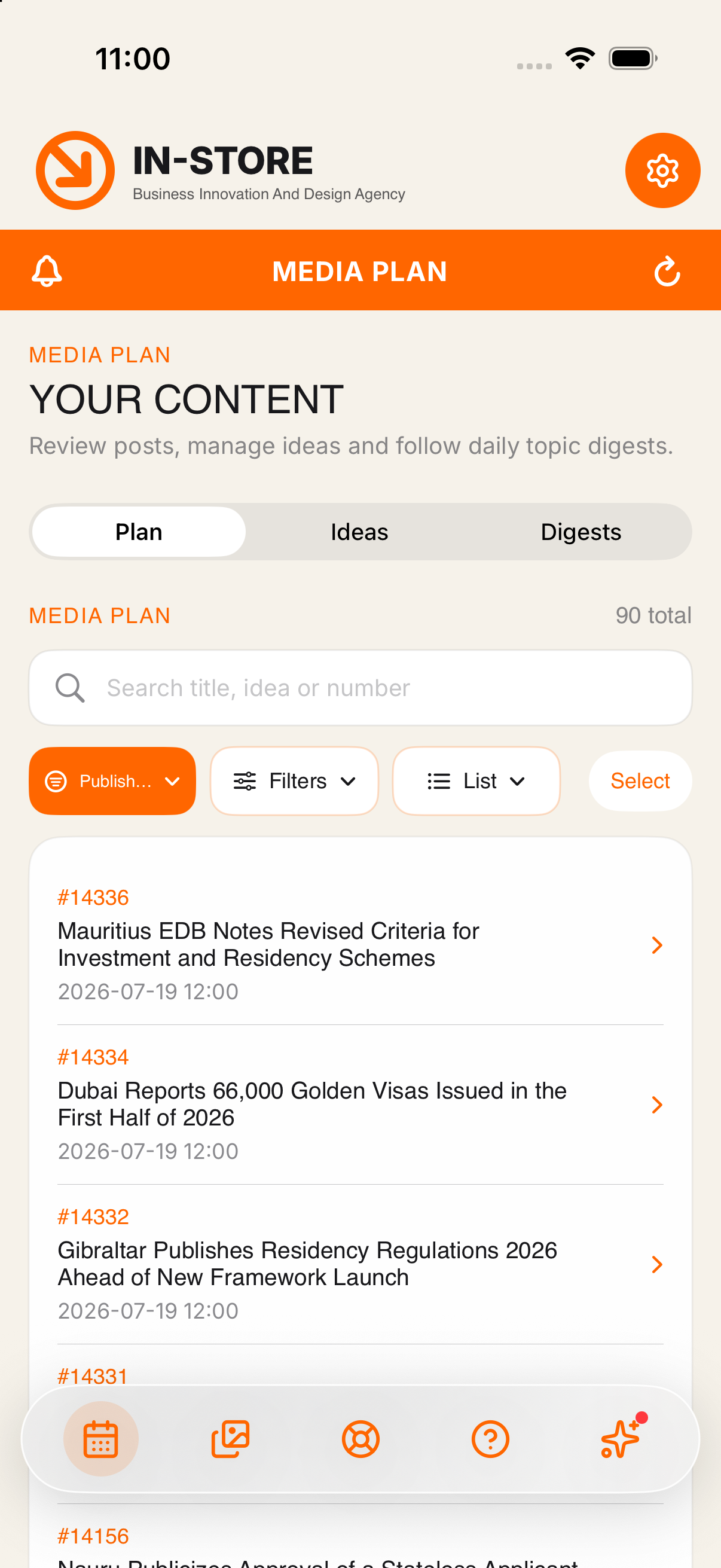
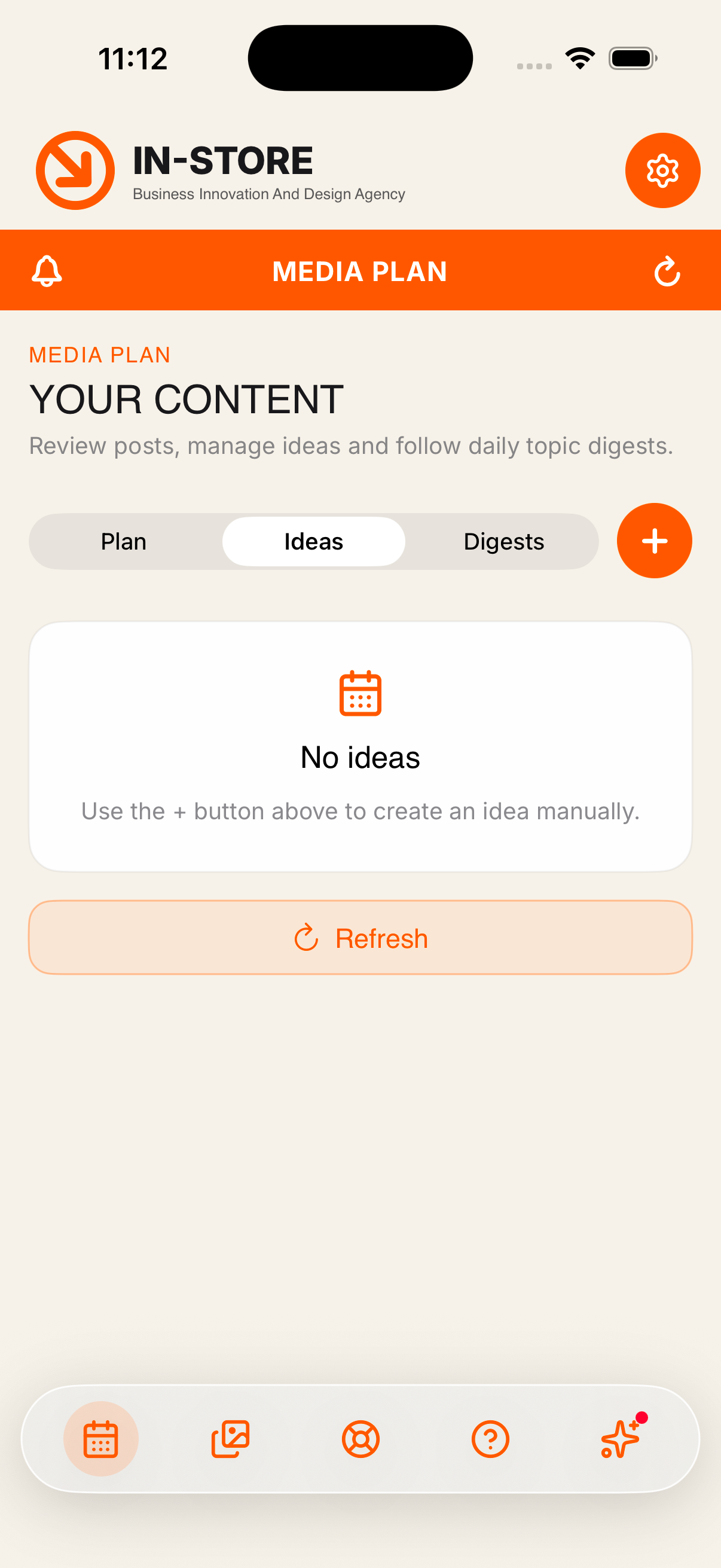
Cards, filtered to what is waiting for you
EVERY POST IN ONE PLAN
In review, scheduled, published, rejected: one list, one filter, one search field. Ninety publications or nine, you see where each of them stands without asking anyone.
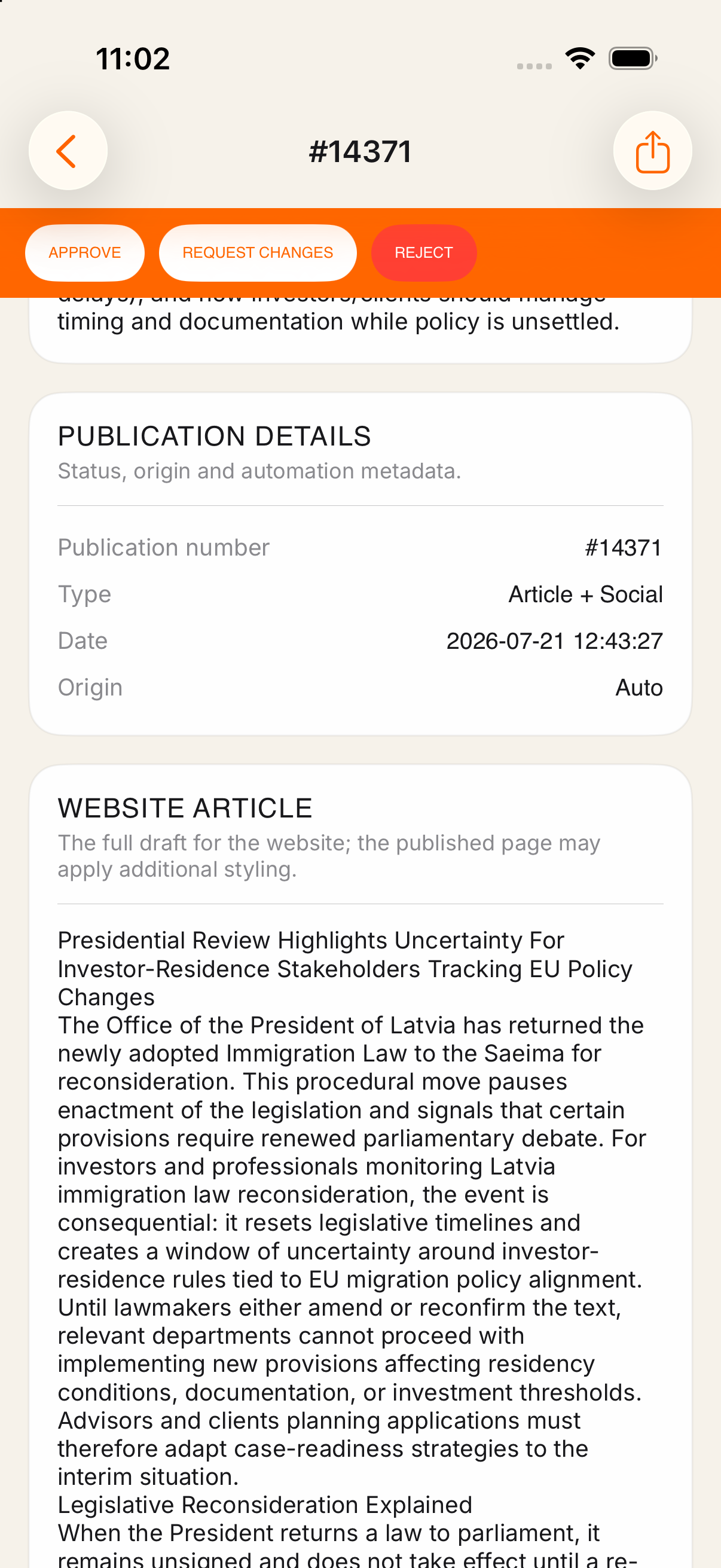
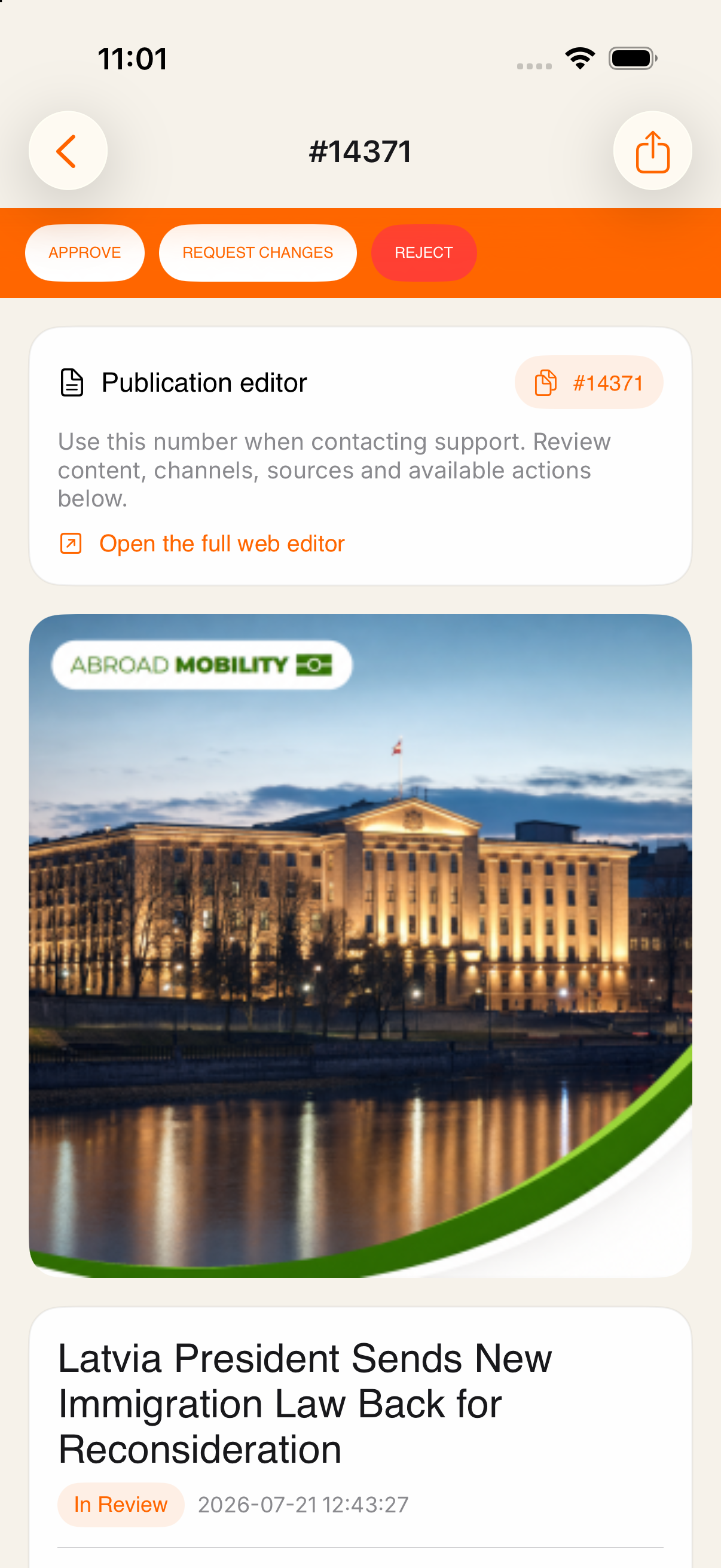
The decision bar stays pinned while you scroll
APPROVE, REQUEST CHANGES, OR REJECT
Open a publication and you get the whole thing: the website article, the social caption, the call to action, the hashtags, the SEO fields. Then one pinned bar carries every decision you can make.
Your decision reaches the team instantly. No email, no chasing.
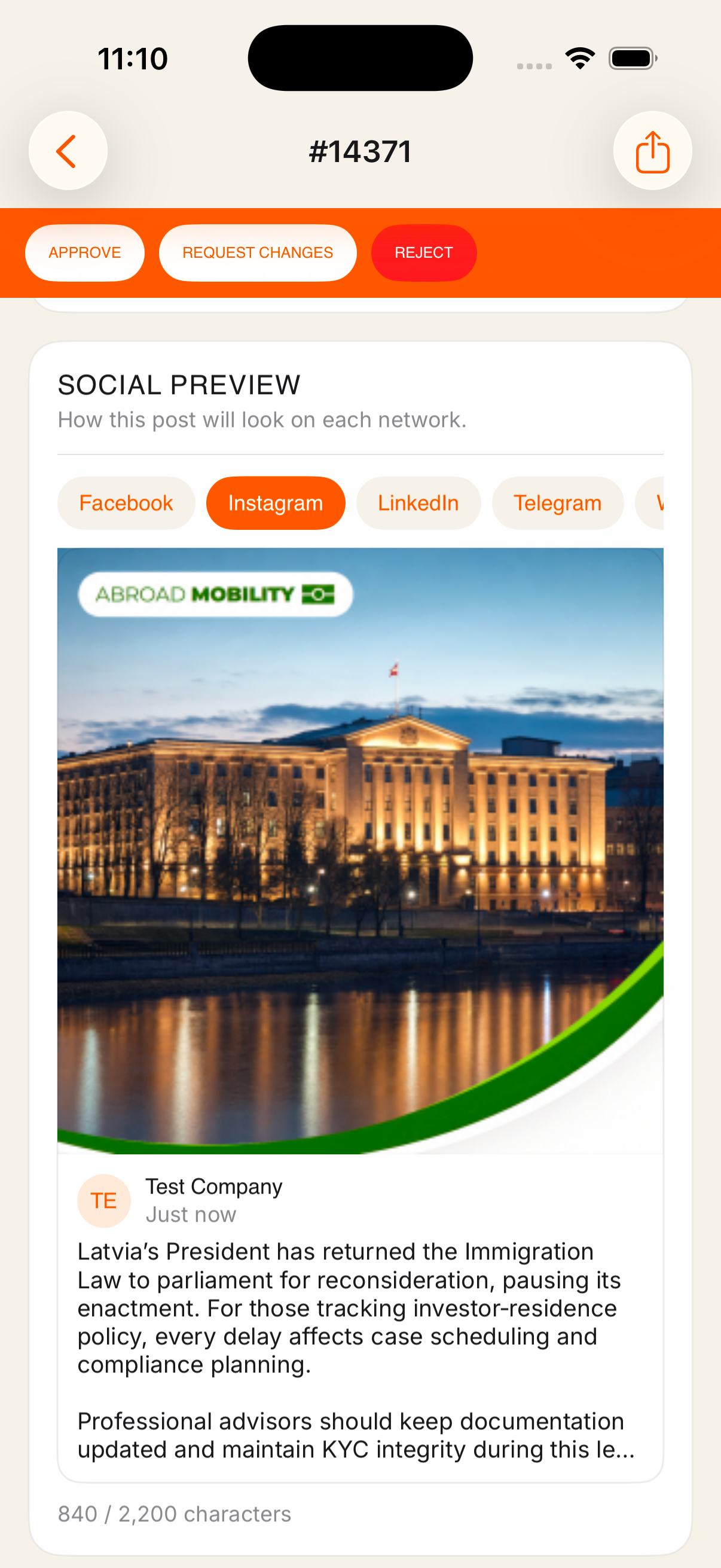
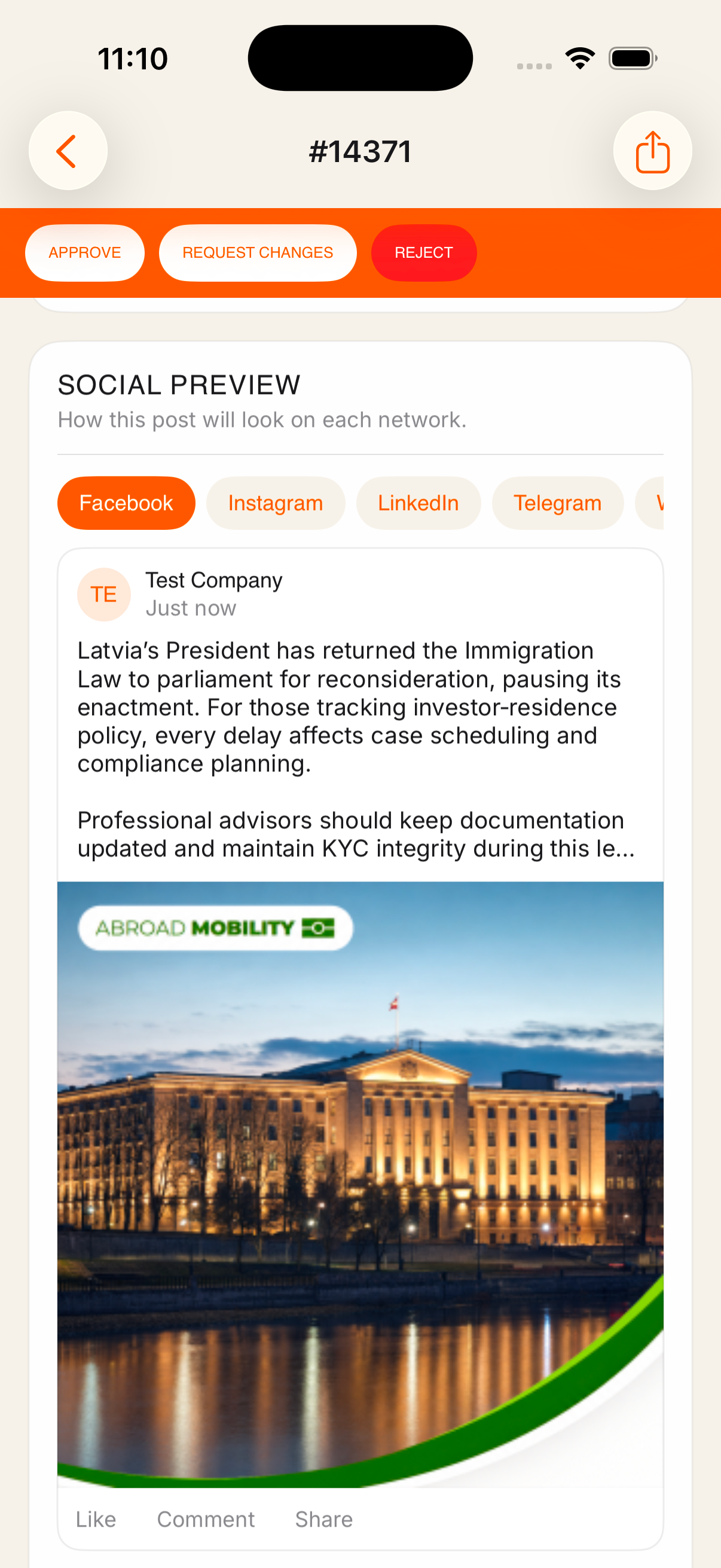
The post as Facebook will render it
SEE IT BEFORE IT GOES OUT
Switch between Facebook, Instagram, LinkedIn, Telegram and your website and see the post rendered the way each of them will render it. The caption is counted against that network’s limit, so nothing gets cut off in public.
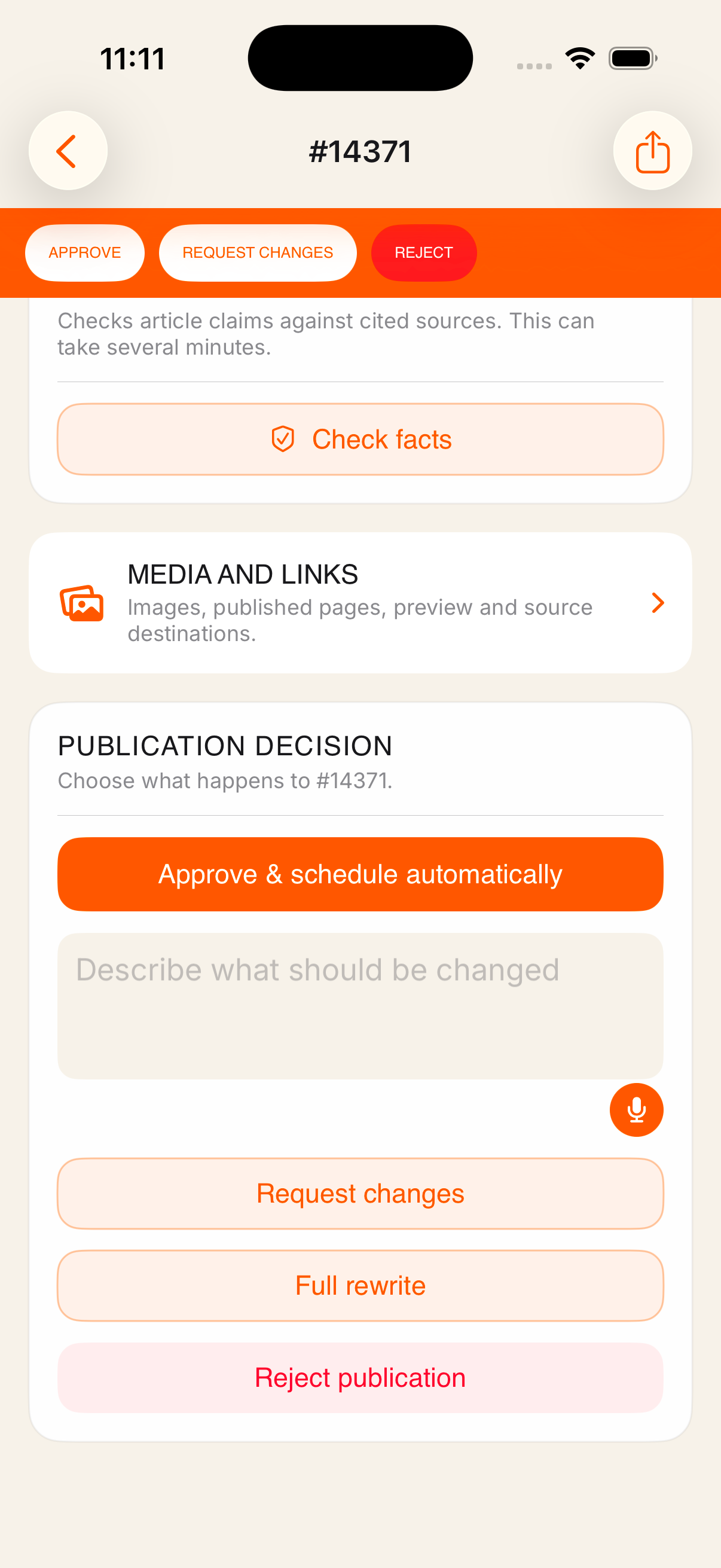
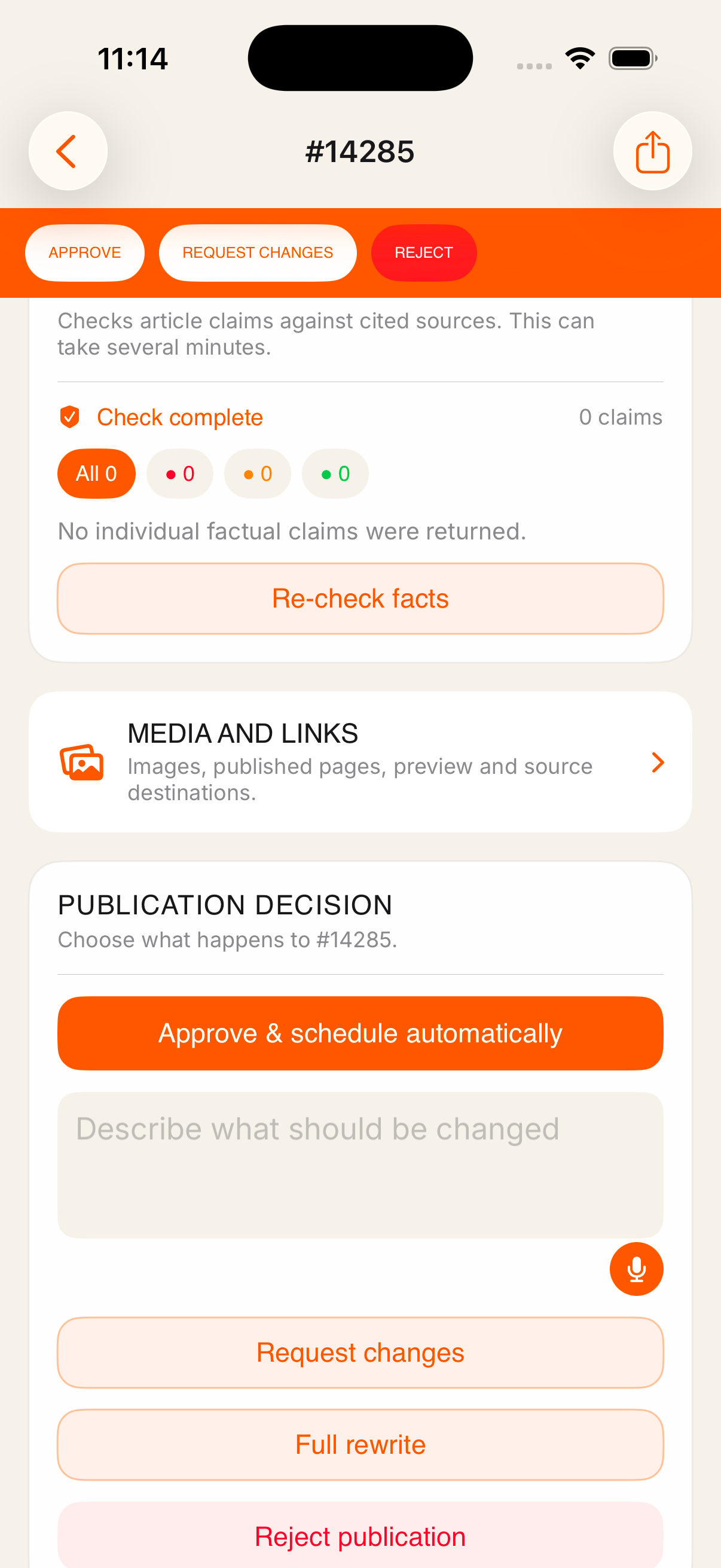
Run the check, then decide what happens to the post
CHECK THE FACTS AGAINST THE SOURCES
Claims are grouped by verdict, and each one shows what the cited source actually says. Confirm a claim yourself, dismiss it, or let the system rewrite the article so its facts match the sources. You approve the corrected text before anything is saved.
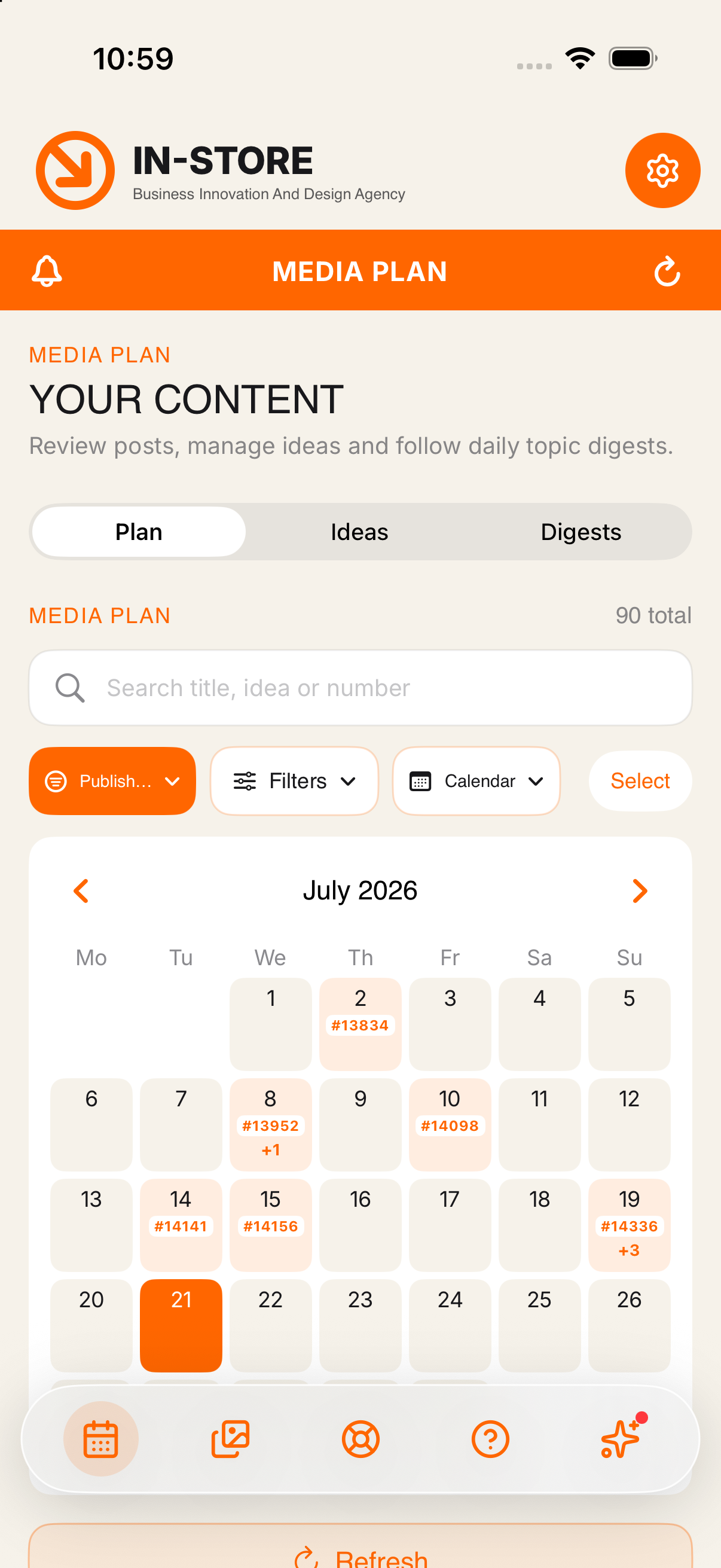
A month at a glance, publications marked per day
PLAN THE MONTH, ADD IDEAS ANYWHERE
A month view holds the whole schedule. Drag a post onto another day to move it, or select several at once and approve, reschedule or return them together.
Got an idea on the way home? Add it in seconds. Or paste a single link and let the system read the page and write from it, as an idea for your approval or as a finished draft.
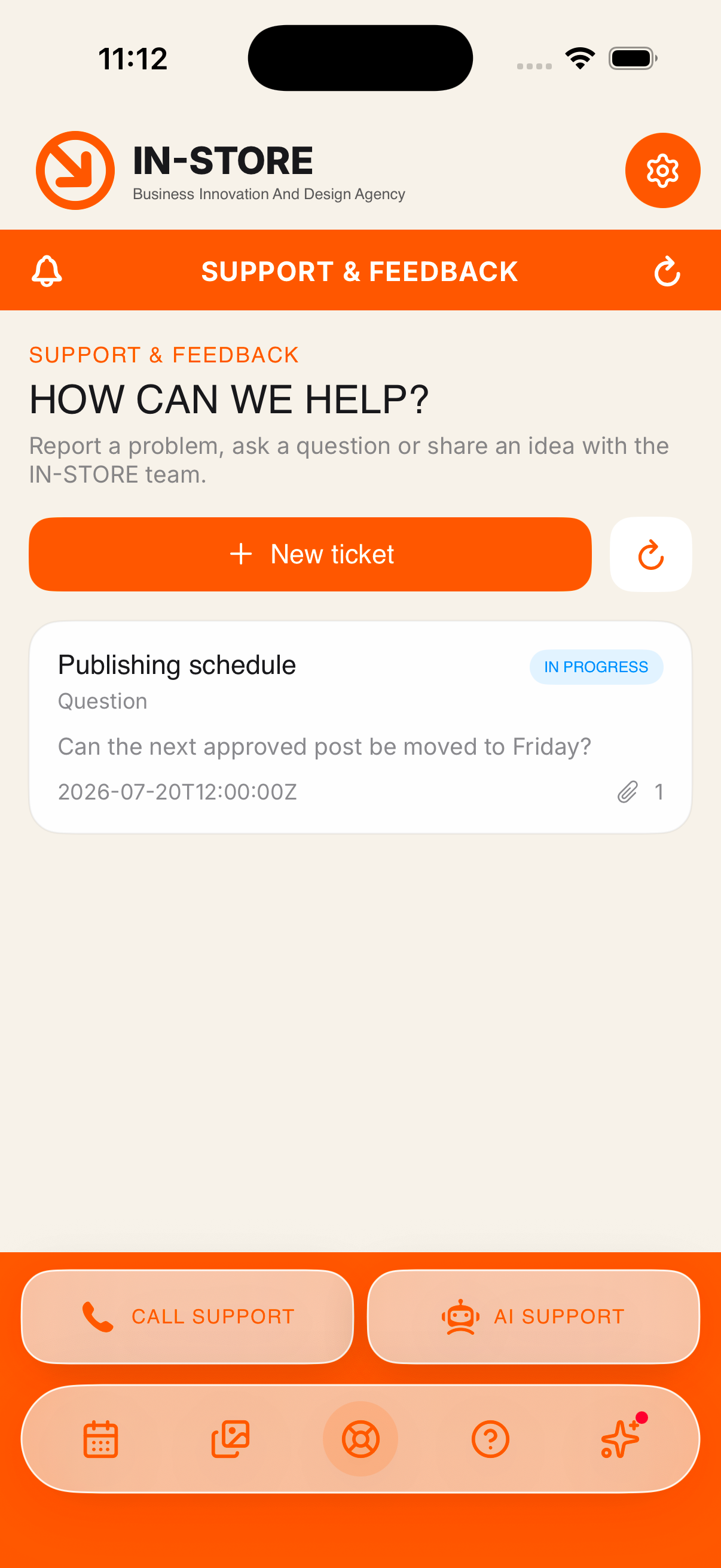
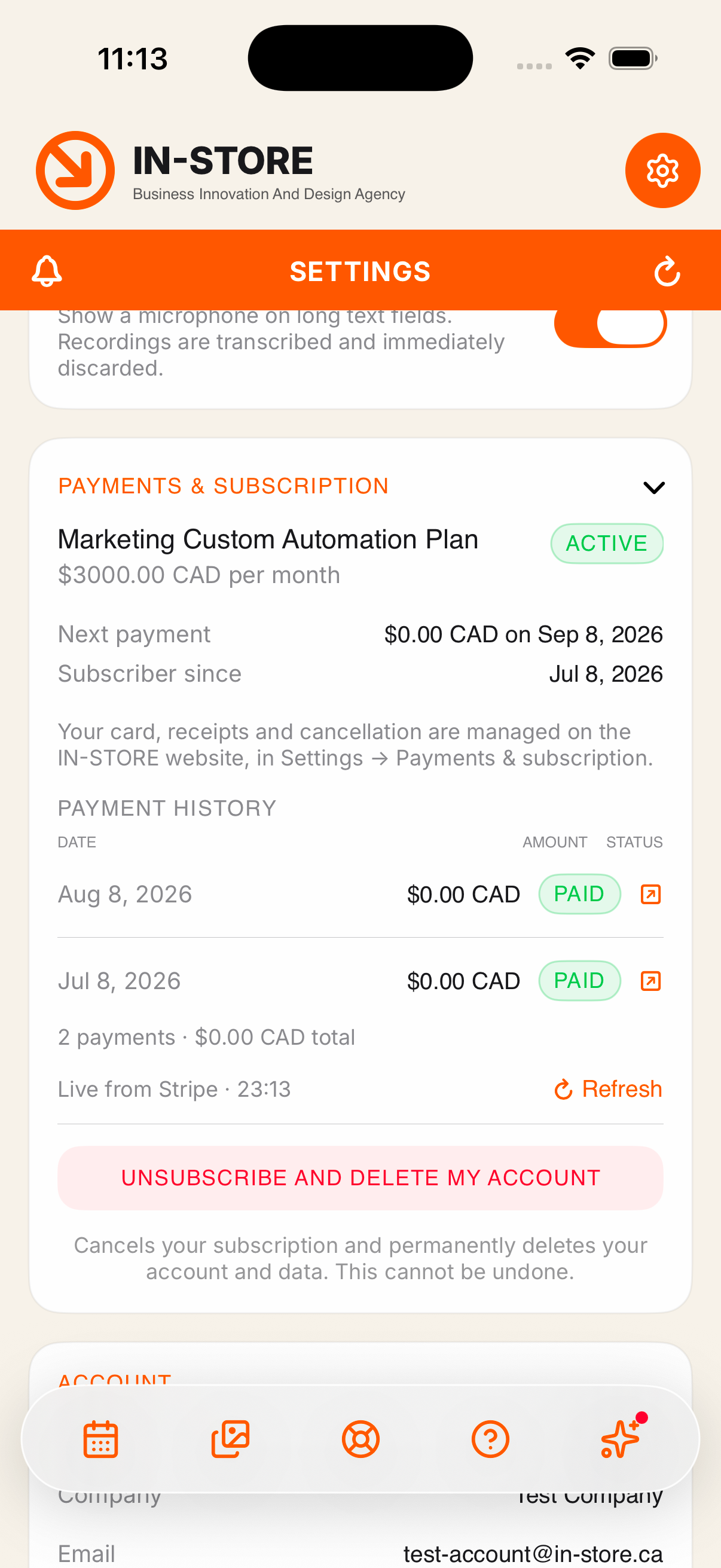
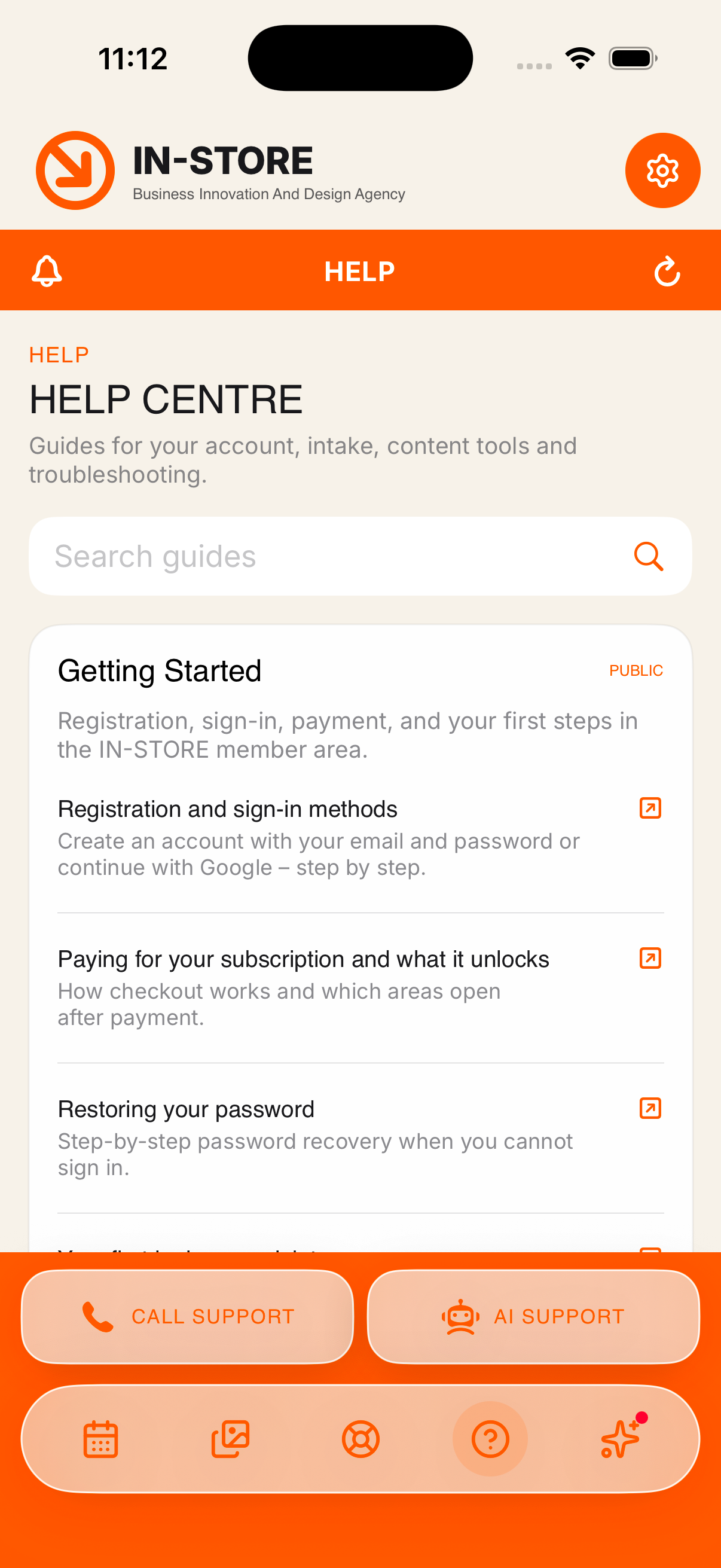
Call support, or talk to the AI agent
NOTHING SLIPS PAST YOU
Open a ticket, call support, or start an AI voice conversation without leaving the app. A notification centre keeps every update in one place: articles ready for review, images that finished generating, replies from support.
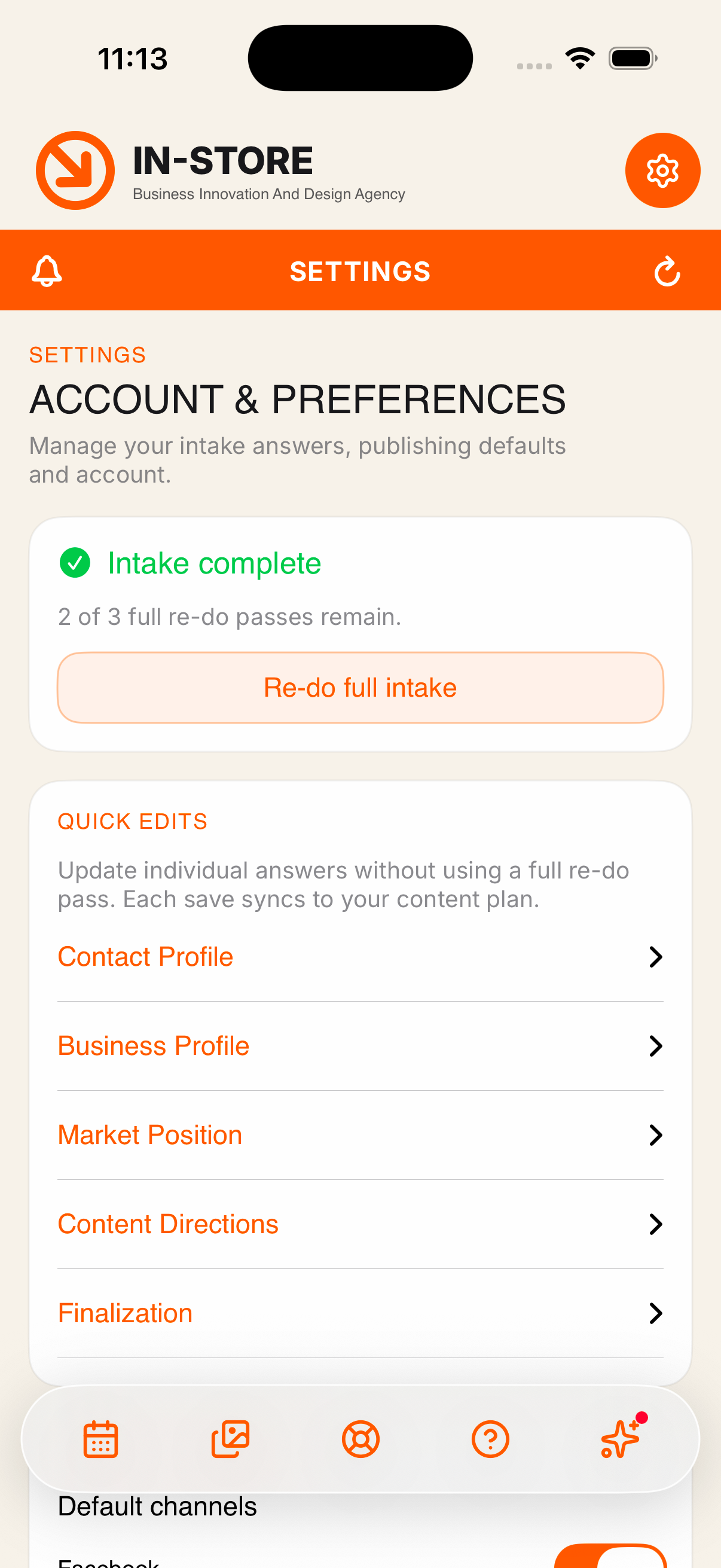
Your subscription, payment method and invoices sit under Settings, read-only and always current. Changes to the card and cancellation stay on the website, where they belong.
SMALL THINGS THAT SAVE THE DAY
IMAGES THAT FIT
Every photo is checked against the requirements of the networks you publish to. Non-compliant images are fixed in one tap.
NEW IMAGES ON DEMAND
Describe what you need and generate it, with your brand logo applied automatically.
SUPPORT THAT ANSWERS
Call support or start an AI voice conversation without leaving the app.
THE WHOLE HELP CENTRE
Every help article opens inside the app, so you never lose your place in the plan.
FACE ID
Lock the app behind Face ID or Touch ID and stay signed in safely between sessions.
FOR ADMINISTRATORS
Agency admins get the same workspace across every client account, plus tickets, client management and live billing state.
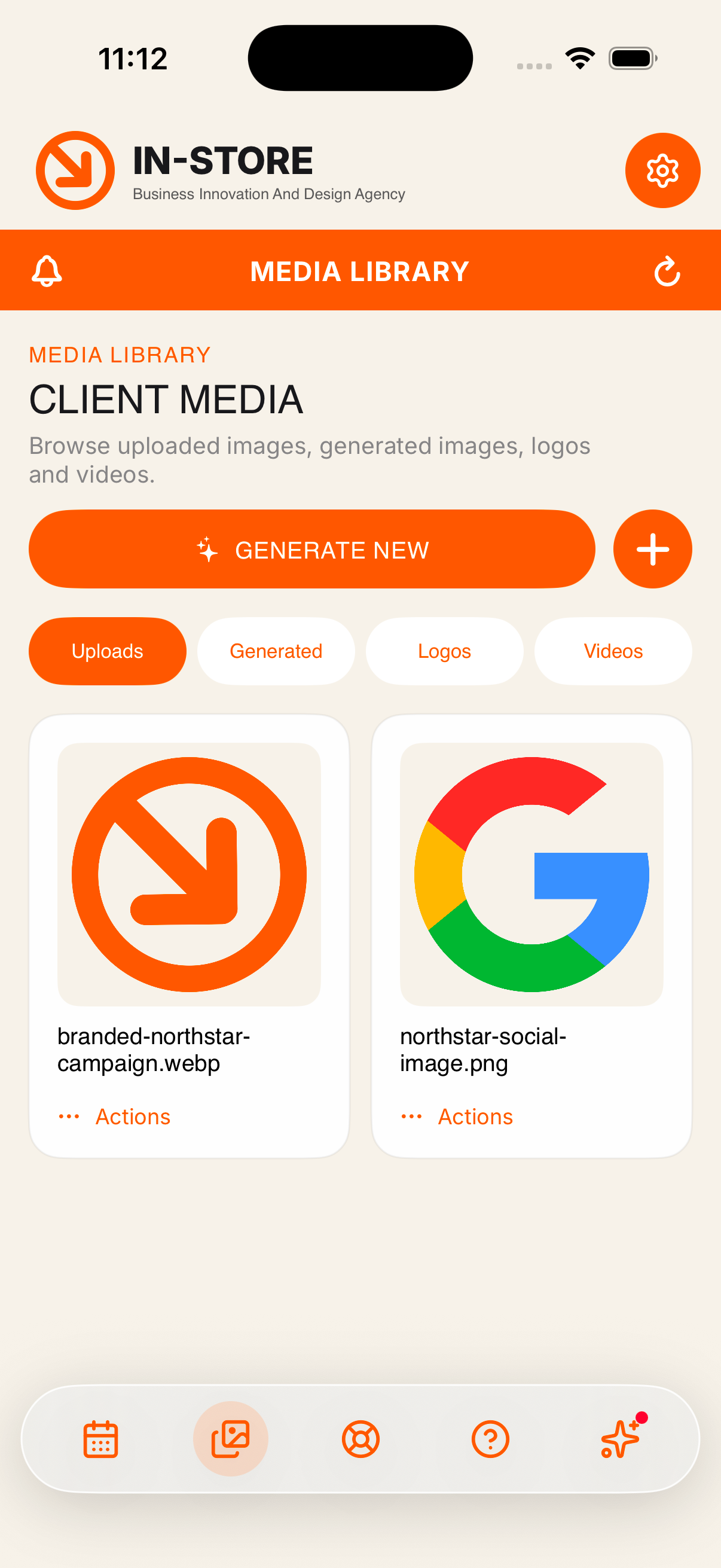
Media library, uploads and generated images
PRIVATE BY DESIGN
We asked one question about every field the app touches: does the app need it to work? Where the answer was no, it is not there.
NO TRACKING. NONE.
The app does not track you across other companies’ apps or websites. That is our filed answer to Apple, on the record in the App Store listing.
DATA ONLY RUNS THE APP
Nine data types are declared, and every one of them is filed under App Functionality. Nothing is sold. Nothing goes to advertisers.
YOUR KEY LIVES IN THE KEYCHAIN
Not in a file, not in a preference. It leaves the device only over an encrypted connection to our servers.
FACE ID OR TOUCH ID
Turn it on and the app opens only for you, even when the phone itself is already unlocked.
DELETE YOUR ACCOUNT IN THE APP
Settings, then Account, then Delete my account cancels the subscription and erases the account. No email to support, no waiting.
RATED 4+
No advertising, no public feed, no third-party content. The app shows your work and nothing else.
INSTALLING THE BETA TAKES TWO MINUTES
POINT YOUR CAMERA AT THE CODE
Any recent iPhone camera reads it straight from the Camera app. No separate scanner needed.
INSTALL TESTFLIGHT IF YOU DO NOT HAVE IT
Apple’s own app for beta software. The link takes you there, and it is free.
TAP ACCEPT, THEN INSTALL
The icon lands on your home screen like any other app.
USE YOUR EXISTING ACCOUNT
The same email and password you use on the website. Nothing new to remember.
No account yet? Start on the plans and pricing page.
REQUIREMENTS AND AVAILABILITY
| Device | iPhone. iOS 17.0 or later |
| Android | In internal testing. Android 8.0 will be the minimum |
| Countries | United States and Canada |
| Price | Free. The app sells nothing and contains no in-app purchases |
| Account | An active IN-STORE account is required |
| Subscription | Purchased and managed on the website, shown read-only in the app |
| Beta places | Up to 250 testers |
BEFORE YOU ASK
Is the beta safe to use on my real account?
Yes. It talks to the same servers and the same database as the web cabinet, over the same encrypted connection. Beta refers to the interface, not to your data.
What does the app cost?
Nothing. The app is free and sells nothing inside it. It is a companion to your existing service agreement, which is billed on the website.
Do I need an account?
Yes. The app shows your content, so there is nothing to show without an account. If you are not a client yet, start on the plans page.
Does the app track me or sell my data?
No. Tracking is switched off, and it is declared as off in our App Store privacy filing. Every declared data type is used only to make the app work.
When will the Android version be available?
The Android build is in internal testing now. Leave your email on this page and we will write to you the day the public link opens.
Can I delete my account from the app?
Yes. Settings, then Account, then Delete my account cancels the subscription and erases the account. The same option exists on the website.
How do I report a problem?
Take a screenshot inside TestFlight and send it, or write to support@in-store.ca. Beta reports go straight to the development team.
SCAN IT NOW, READ IT ON THE TRAIN
Reading this on a desktop? Open the code with your phone camera, or write to support@in-store.ca and we will send the link.